
Colour-coded authority
green, yellow, blue, red or black.
Cab authority is held on the employee record as a standard driving cab pass. Issue a digital pass and a QR code appears beside the photo, scan it to open the live pass in a browser with no sign-in.
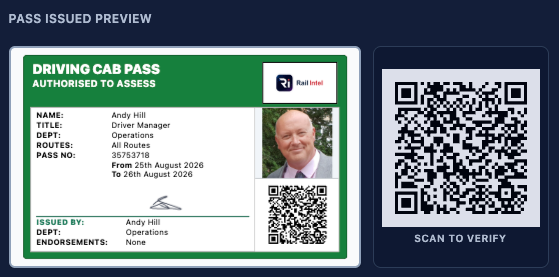
From colour choice to QR verification, the flow stays on the employee record. No separate system, no login for the person scanning the pass.
You pick the pass colour first, green, yellow, blue, red or black, then fill the same fields as a standard driving cab pass: validity dates, routes, endorsements and issuer signature. Nothing is created until you confirm.
Once issued, a QR sits beside the photo for public verification in a browser. Email a copy to the employee with a view link, manage renew, revoke, edit or delete from the pass preview, and print a credit-card layout from Pass layout & print without leaving the Cab Passes tab.
green, yellow, blue, red or black.
for public verification without a login.
to the employee with a view link.
from the pass preview.
Choose the pass colour before continuing. Nothing is created until you confirm.
10843529
Issuer signature Signed
Sign using mouse, trackpad, or touch.
This will create a digital cab pass with QR verification, and email the front and reverse of the pass to the employee at ashuk38@yahoo.co.uk.
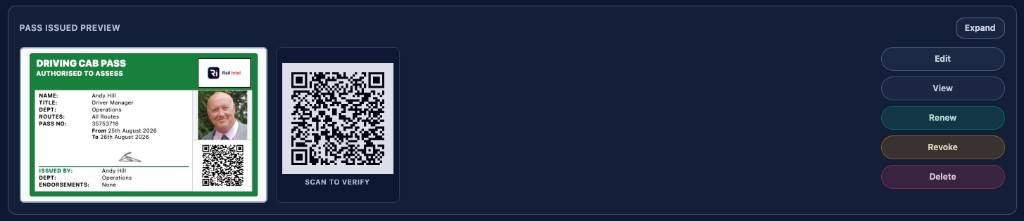
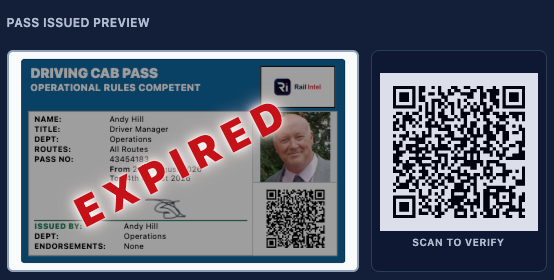
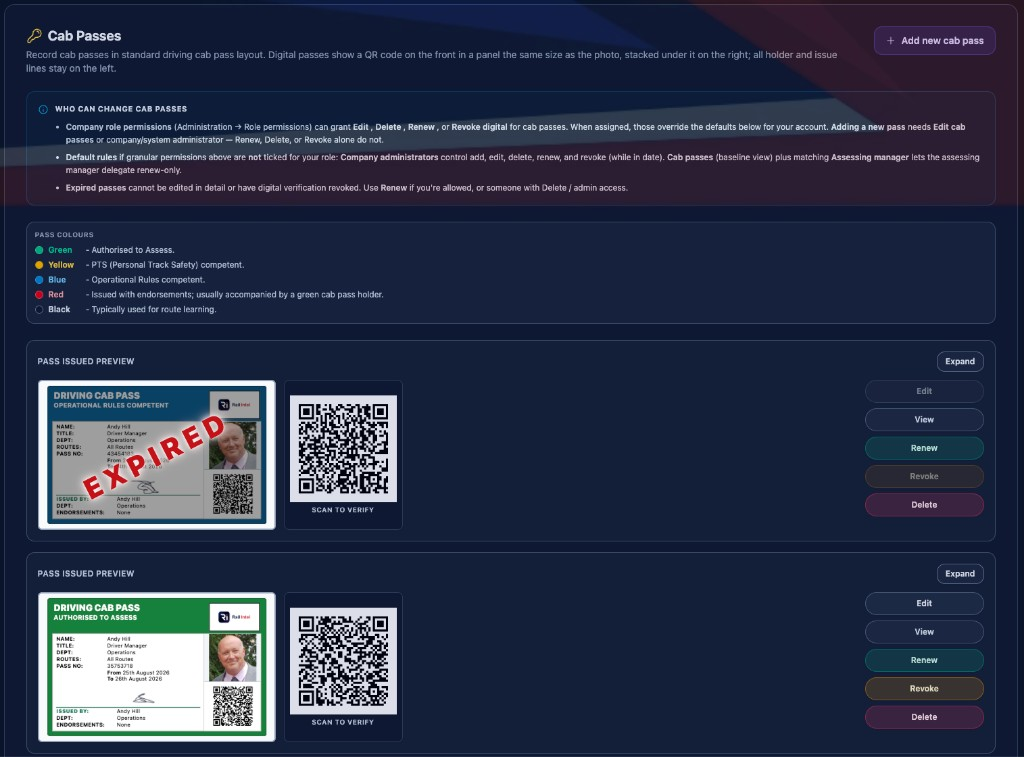
Interactive preview — walk the issue flow from colour choice to the Cab Passes tab.
From Pass layout & print on the Cab Passes tab, the issued pass sits in a landscape ISO ID-1 preview (85.6 × 53.98 mm). Tap the card to flip between the front and the conditions of use on the reverse.
Print credit-card size opens a two-page A4 print preview — page 1 is the front of the pass, page 2 is the reverse rotated for duplex alignment. Both pages share cut guides, scissors marks and step-by-step instructions so the physical card lines up when you print double-sided with flip on long edge.
Cut along the dotted line after printing. Optional laminating keeps a durable pocket pass that still matches the live digital record and QR.
85.6 × 53.98 mm landscape — standard credit-card size.
front with photo and QR; reverse with conditions of use.
two pages with cut guides for duplex, flip on long edge.
optional laminate for a durable pocket pass.


Digital Cab Passes is included as standard. When the QA Verifications add-on is purchased, cab pass status forms part of the employee verification report. Expired or unsigned passes surface as review items; in-date signed passes show as compliant, with a direct path back to Cab Passes to fix anything that needs attention.
Each issued pass appears in a Cab Pass preview on the report with colour, pass number and expiry, so the checker sees the live authority rather than a static note. Outcomes resolve to Review or Compliant for every pass on the record.
Where a pass needs renewing or updating, Fix in Cab Passes opens the record from the report so the fix happens in the same system of record that issued it. Without the QA Verifications add-on, passes still live on the employee record; report status simply is not included until that module is active.
on the verification report with colour, pass number and expiry.
outcomes for each issued pass.
from the report when a pass needs renewing or updating.
unlocks cab pass status on the employee verification report.
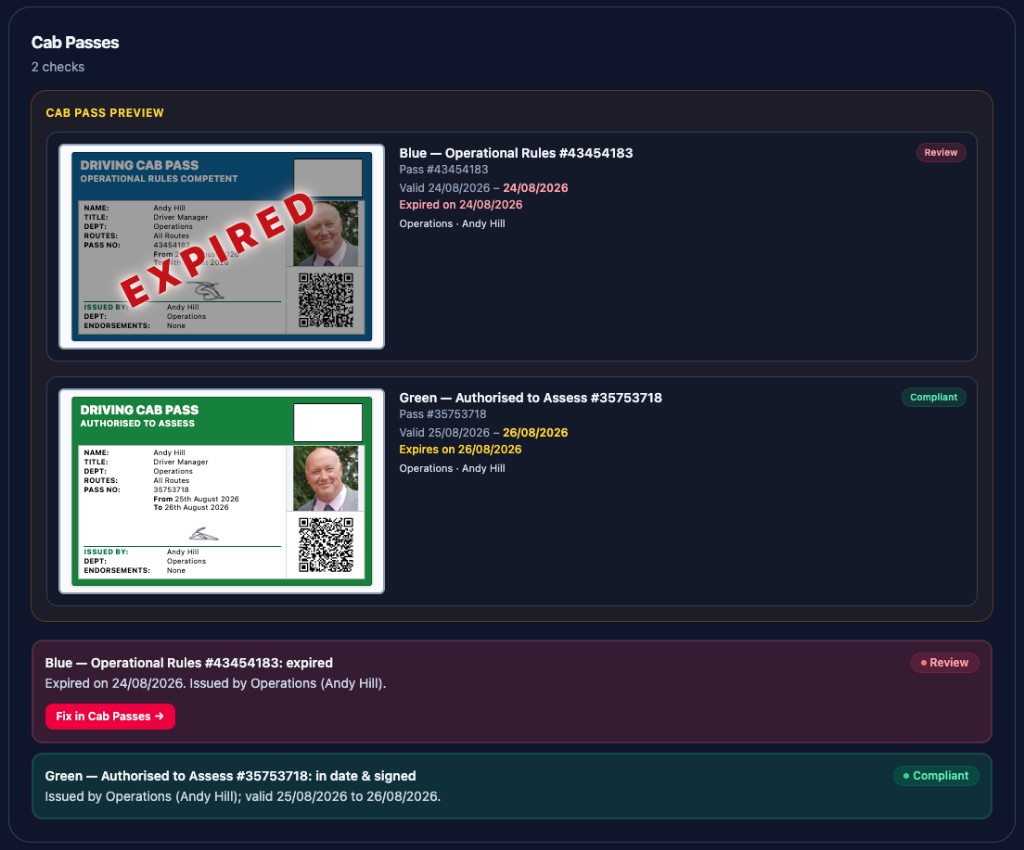
Live capture — expired passes surface as Review; in-date signed passes as Compliant.
Each pass includes QR code verification that anyone can scan to validate authority and status against the live record.
Yes. Issue workflow captures colour classification and validity so the pass in the pocket matches the system of record.
No. Scanning the QR code opens the live pass in a browser with no sign-in, so gate staff or other checkers can validate authority without a Rail Intel account.
Yes. Issuing and managing digital cab passes is part of core Rail Intel. Showing pass status on verification reports requires the QA Verifications add-on.
Expired passes stay on the employee record with status clear at a glance, and the QR remains available for audit. From the pass preview you can renew, revoke, edit or delete without leaving the Cab Passes tab.
Yes. From Pass layout & print on the Cab Passes tab, Print credit-card size opens a two-page A4 preview (front and reverse) at ISO ID-1 size with cut guides. Print double-sided with flip on long edge, then cut along the dotted line.